











 /
5.0
Rating
/
5.0
Rating

 /
4.9
Rating
/
4.9
Rating











 Lets Talk Ai


As day by day people’s lives are being hectic and the major thing in today’s life educating a child is more like a task. And then paying fees of child by waiting for hours in line & taking care of all the receipts which we have paid is more time consuming & is like ancient method where there was no digitization.
So to get rid of all these kinds of tasks, the alternate method of cash payment is online fees payment.
As trends towards digitization are increasing day by day online payment is a growing choice for everyone.
Different sectors of the society are working hard to implement electronics payment in day to day life, so demand for online payment system in the educational sector is equally growing for both the parents as well as the school management to integrate the online payment with the school management software is must.
Vidyalaya one of the leading School management software provides various integrations for easy working of school. Vidyalaya’s online fee payment module can help you to do transactions anywhere, anytime within minutes.
How Online Fee Payment Is It Use Full For User Of Vidyalaya?
Vidyalaya, helps parents to pay their ward’s fees easily within their fingertips.With Vidyalaya online fees payment feature, we make sure fees of the students are paid online effortlessly.
Why the need of Online Payment came?
– Cashless Transaction
– Parents need not wait in queues for payment
– No wastage of time
– Paper-less transaction
– Secure process
– Efficient process
– Online fees payments are faster.
– Easy Administration
– More Accuracy
– Hassle free payments
– Avoid Late Fees
Let’s see how online fee payment works in Vidyalaya?
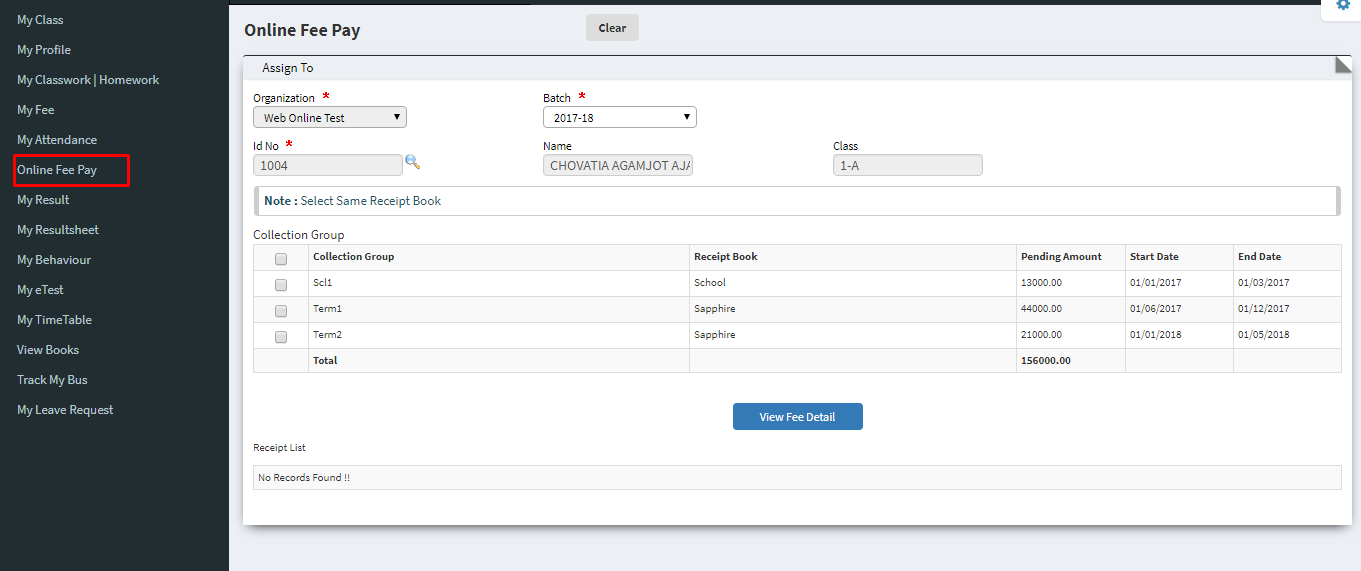
In student center, there is link Online Fee Pay where it will redirect to the page where students all the fee detail will display
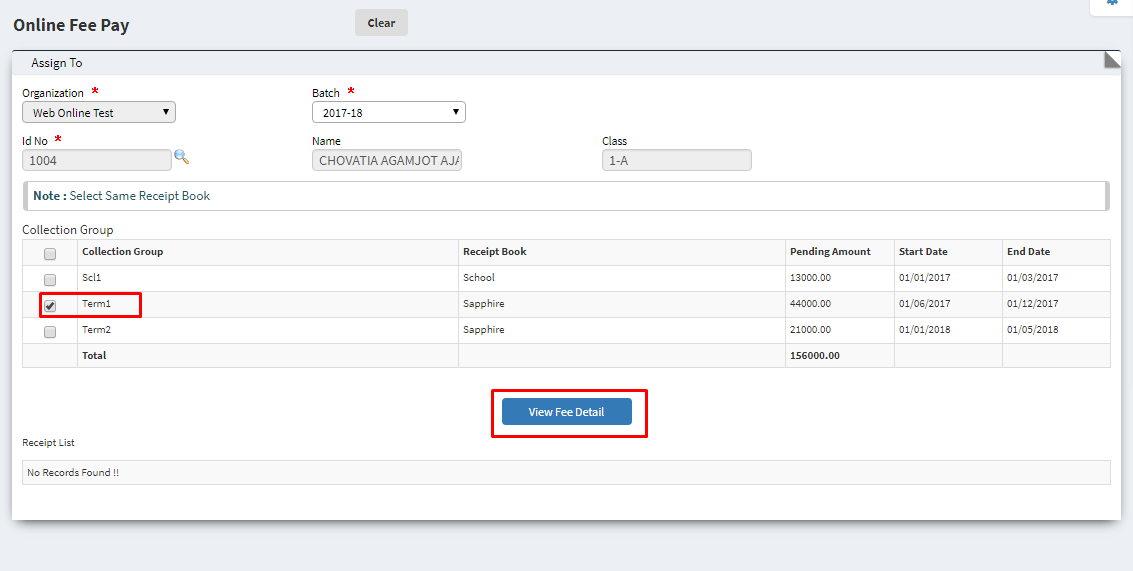
After selecting fee Collection Group name click on View Fee Detail it will display the fee details of the student.
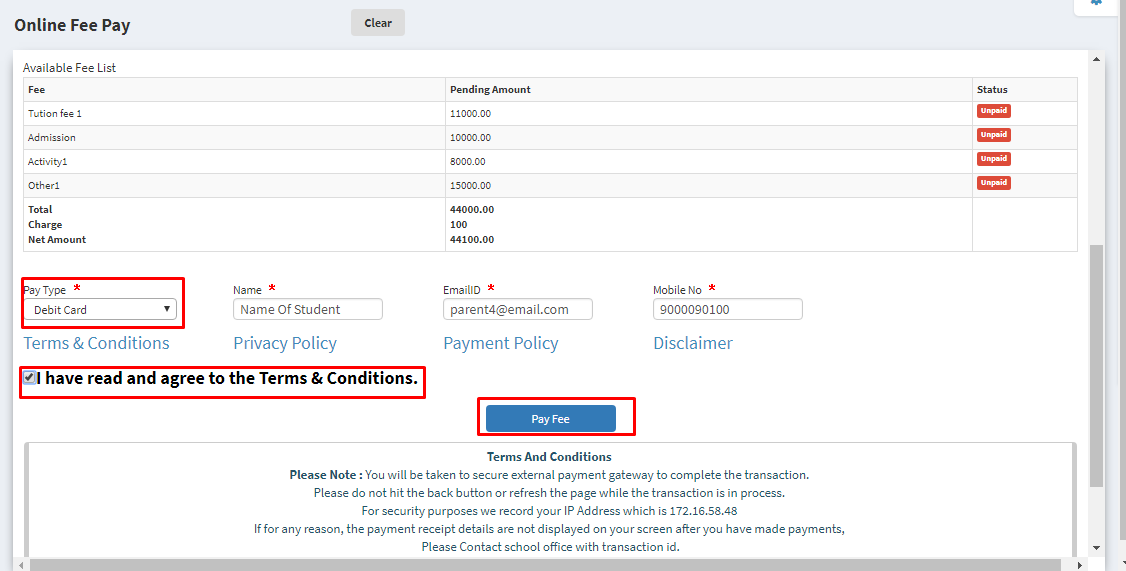
After that select pay type and also there student name, email and mobile number will display. Select the pay type agree terms and condition and click on Pay Fee will redirect to the payment gateway.
Fill all the details and click on pay and payment will done.
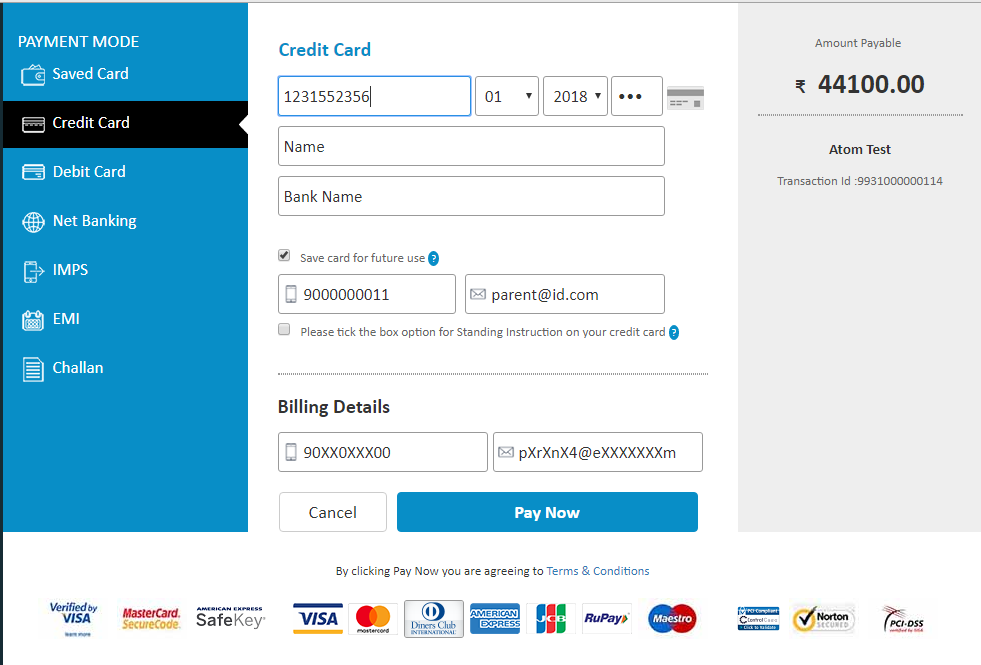
That’s how Vidyalaya online fee payment works with simple and easy steps and makes the fee payment system easier and effortless.