










 /
5.0
Rating
/
5.0
Rating

 /
4.9
Rating
/
4.9
Rating









 Lets Talk Ai


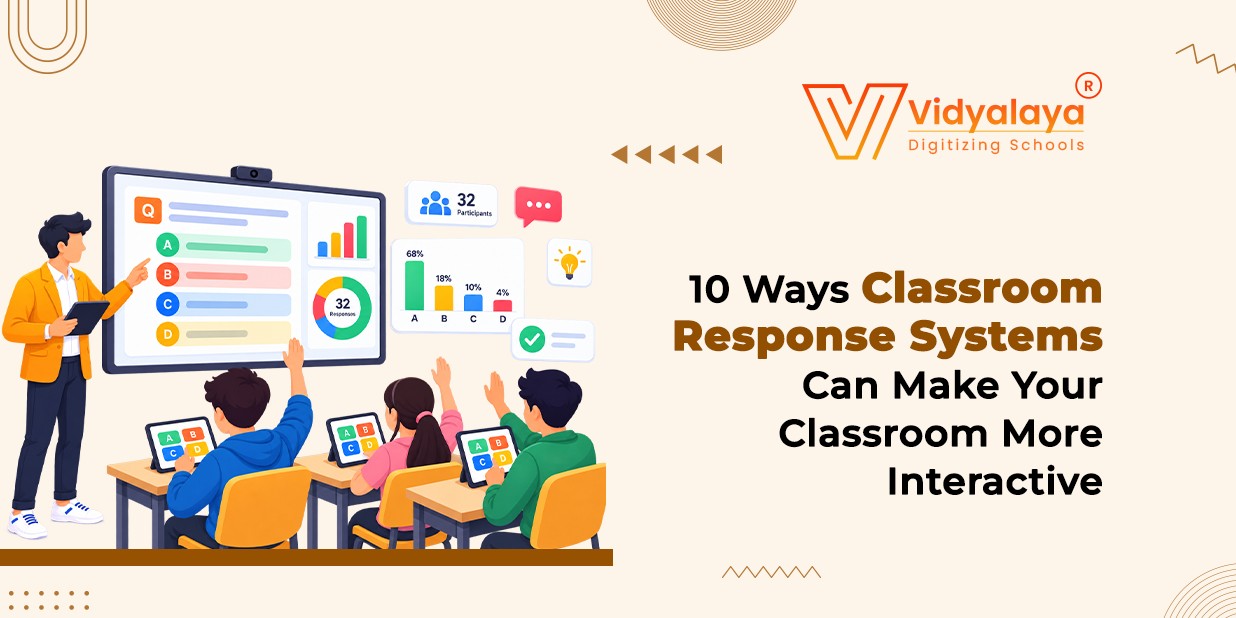
Engaging every student in a classroom can be challenging, especially when traditional teaching methods often limit participation to a few confident learners. Classroom Response Systems (CRS) help educators create more interactive learning environments by enabling students to answer questions, participate in live polls, and complete quizzes using digital devices. With real-time feedback and instant assessment results, teachers can identify learning gaps, encourage active participation, and adapt their teaching strategies to meet students’ needs.
As schools increasingly embrace digital education, classroom response systems play a vital role in enhancing student engagement and improving teaching effectiveness. When integrated with modern School Management Software, these tools can support a more connected and student-centric learning experience. In this blog, we explore 10 ways classroom response systems can make your classroom more interactive, helping educators foster collaboration, assess student understanding, and create more engaging and effective classrooms.
1. Get everyone answering, not just the confident ones
In most rooms, the same five students do the talking. Everyone else learns that they can wait for it out. With a response system, all students answer at once. Finish a science topic, post a four-option question, and every single student must commit to something, front row or back corner. It’s fairer, and it’s a relief for the kids who freeze when they’re put on the spot. A device gives them a way in.
2. Find out what they understood
A quiet class tells you almost nothing. Maybe they’re focused. Maybe they’re lost and too polite to say so. So, ask. After explaining an algebra formula, throw up one quick problem. If most of the room picks up the same wrong option, you’ve learned something no face could have told you. And you’ve learned it now, while you can still fix it, not three weeks later on a test paper.
3. Make quizzes feel less like tests
Nobody enjoys a surprise exam, but a five-minute quiz with a timer and a leaderboard is a different animal. Many tools offer that game-like layer, along with true-or-false and multiple-choice formats. Say a history teacher runs five questions on a major battle. After each one, the class sees the results and argues about why the answer works. That’s the real payoff.
4. Start discussions with a vote
“Any thoughts?” is a rough way to open a discussion. Silence usually follows. Try a poll first. An English teacher might ask which character made the most important decision in a novel. Students vote; the split appears on screen, and suddenly there’s something to defend. Why did a third of the class pick up the villain? That’s a conversation. It also pulls in students who would never have volunteered.
5. Let students admit they’re confused
Plenty of students would rather stay lost than look foolish. Anonymous polling helps if your platform supports it. Ask something like, “Which part of today’s lesson was hardest?” and you’ll often get honest answers you’d never get aloud. You can use the same trick to ask about homework loads or how they like to learn. One caution: anonymity depends on the tool settings, so check what the teacher view actually shows before you promise anything to your class.
6. Let them teach each other
Explaining an idea to a friend is one of the fastest ways to understand it. Sometimes a classmate’s wording lands better than yours. Here’s a simple routine. Pose a hard question and have everyone answer alone. Then they turn to a neighbor, argue it out, and answer again. Compare the two rounds. In physics, for example, students might split on which forces act on an object. After a few minutes of debate, some change their answers, and they can tell you why. That’s the moment you’re after
7. Give feedback while it still matters
Feedback loses its power fast. A correction a week later is mostly noise. With live answers, you can see the problem as it happens. Several students all pick the same wrong percentage answer? Stop, redo the calculations, and give them a fresh question to try. Answer, feedback, another tries. Many platforms also save the results, so you can see afterward which topics need more practice.
8. Teach to the class you have
Some students get it as an example. Others need four. Response data shows you which kind of day it is. Start by asking three questions about what students should already know. If students breeze through, skip the review. Move to something harder.
9. Revise without the yawning
Revision sessions go flat when students reread notes for an hour. Turn them into a question-and-answer round instead. Show a question from an earlier lesson, let students answer, then reveal the right one and walk through the tricky ones. A biology teacher before exams could cover cell structure, photosynthesis, and digestion in one quick quiz.
10. Ask them how the lesson went
Interaction shouldn’t end when your explanation does. Students can tell you plenty about what’s working. Before they leave, try questions like these:
Which topic should we practice again?
Which activity helped most today?
What are you still unsure about?
How confident do you feel about this topic?
The ten ideas at a glance.
| No | Activity | What the system does | Main benefit |
| 1. | Participation questions | Collects every student’s answer | More students take part |
| 2. | Understanding checks | Shows results instantly | Confusion shows up early |
| 3. | Interactive quizzes | Runs quick knowledge checks | Practice feels less dull |
| 4. | Discussions | Gathers opinions first | Deeper conversations |
| 5. | Anonymous polls | Allows private answers (if supported) | Less fear of speaking |
| 6. | Peer learning | Supports before-and-after questions | Students explain to each other |
| 7. | Instant feedback | Reveals common mistakes | Errors get fixed fast |
| 8. | Adapting lessons | Shows who needs support | Teaching fits the class |
| 9. | Revision | Tests earlier material | Time goes to weak spots |
| 10. | Student feedback | Collects questions and suggestions | Better future lessons |
Final thoughts
Classroom Response Systems are transforming traditional teaching methods into more interactive, engaging, and student-centered learning experiences. From encouraging classroom participation and identifying learning gaps to delivering instant feedback and improving assessment practices, these tools empower educators to make data-driven decisions and support better learning outcomes. For schools looking to embrace digital education, integrating interactive learning technologies with reliable school management software can help streamline academic processes and create a more effective teaching and learning environment.
At Vidyalaya School Software, we understand the importance of technology in modern education and help schools simplify academic and administrative management through comprehensive school management solutions. If you’re looking to enhance classroom engagement, improve academic efficiency, and take your institution’s digital transformation forward, our solutions can help you move toward your goals. Contact us today to book your free demo and discover how our school management software can support your institution’s growth.